> ## Documentation Index
> Fetch the complete documentation index at: https://docs.glood.ai/llms.txt
> Use this file to discover all available pages before exploring further.
# Configure Collection-Level Default Sorting
> Override the shop-wide default sort order for individual collections.
By default every collection page uses the same shop-wide sort order. You can override that for individual collections — for example order one collection by price and leave the rest as they are. Collections you don't list keep using the default sort order.
## How to set a collection's sort order
#### 1. Open the collection sort settings
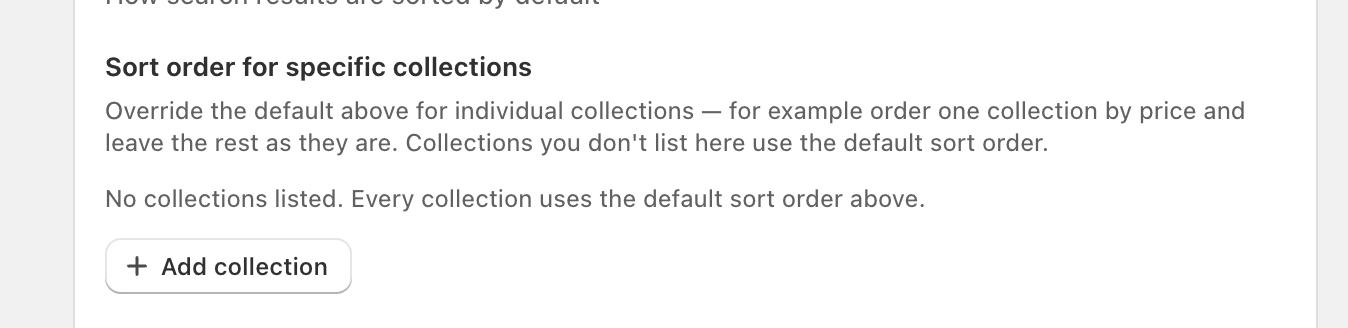
In the Glood AI Search & Merchandising app, go to **Settings** and scroll to the **Search Results Page** section. Under **Sort order for specific collections**, click **Add collection**.
 #### 2. Select the collection and its ordering
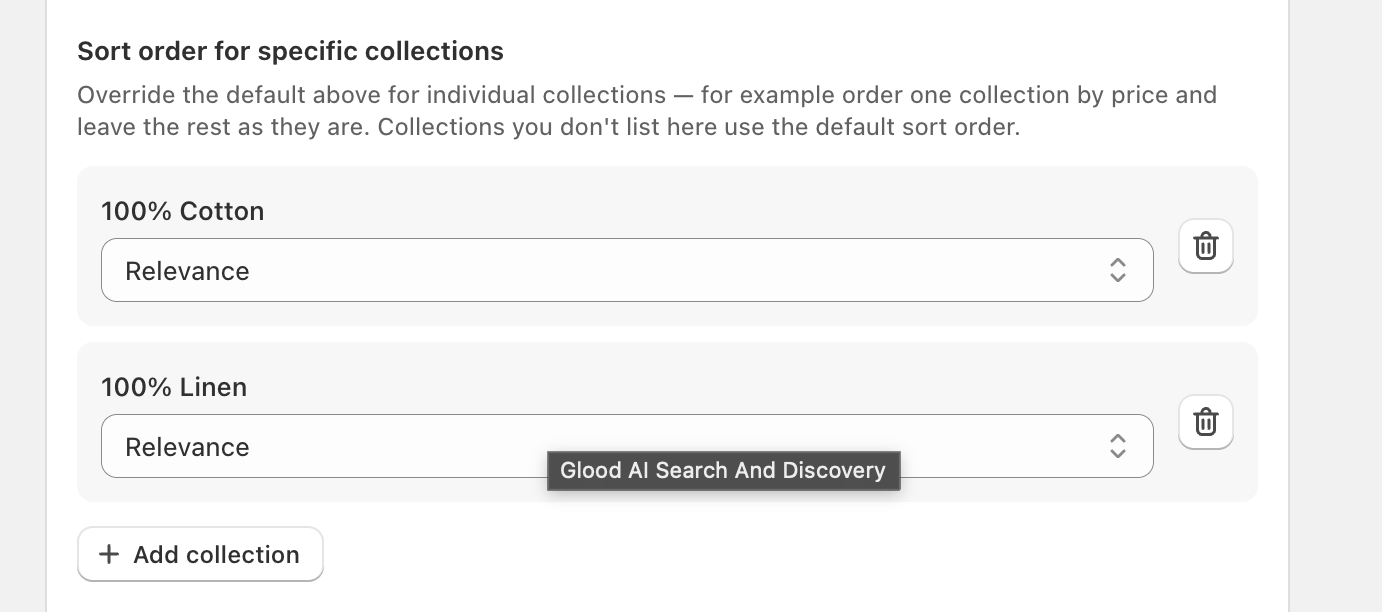
Pick the collection, then choose the ordering you want for it. Repeat for each collection you want to override — use the trash icon to remove one and send it back to the default sort order.
#### 2. Select the collection and its ordering
Pick the collection, then choose the ordering you want for it. Repeat for each collection you want to override — use the trash icon to remove one and send it back to the default sort order.
 #### 3. Save
Click **Save**. The sort order applies to those collections right away.
## For headless & custom storefronts
Once saved, the [Search Config](/api-reference/search/headless/config) endpoint returns the collection's configured ordering in `default_ordering` whenever the request passes `target_page: "collection"` with the collection's `target_id`. Use it as the pre-selected option in your sort control instead of assuming `relevance`.
Search requests that omit `sort` resolve the same way — the collection's configured sort first, then the shop-wide default, then `relevance`.
## Support
Need help configuring sort orders? Contact our support team at [support@glood.ai](mailto:support@glood.ai).
#### 3. Save
Click **Save**. The sort order applies to those collections right away.
## For headless & custom storefronts
Once saved, the [Search Config](/api-reference/search/headless/config) endpoint returns the collection's configured ordering in `default_ordering` whenever the request passes `target_page: "collection"` with the collection's `target_id`. Use it as the pre-selected option in your sort control instead of assuming `relevance`.
Search requests that omit `sort` resolve the same way — the collection's configured sort first, then the shop-wide default, then `relevance`.
## Support
Need help configuring sort orders? Contact our support team at [support@glood.ai](mailto:support@glood.ai).